Two tracks at once
Your microphone (mic) and the system output (remote — the other side of a call, a video, a meeting) are transcribed in parallel and stored as timestamped intervals in SQLite.
macOS menu-bar app · 100% on device
Chronica transcribes your microphone and your system audio continuously, right on your Mac — meetings, calls, videos. A searchable journal, export, a local API. No account, no cloud, no telemetry.
Version 0.1.0 is signed ad-hoc and not notarized yet, so Gatekeeper blocks the first launch. There is a one-time fix — see Install.
macOS 14.0+Apple SiliconMIT licence~640 MB model downloaded on first run
What it does
Chronica listens to both sides of your work — what you say and what you hear — turns it into searchable text, and hands the data back in whatever shape you need.
Your microphone (mic) and the system output (remote — the other side of a call, a video, a meeting) are transcribed in parallel and stored as timestamped intervals in SQLite.
Parakeet TDT 0.6b v3 by default: 25 languages including Russian, detected automatically. Prefer Whisper? 33 ggml variants run on whisper.cpp with Metal. Nothing is sent anywhere to be recognised.
Activities and transcript live in a single feed with session separators, a period picker and full-text search across everything you have ever recorded.
Off by default. When you turn it on, a local vision model in Ollama looks at a still frame and describes the work in progress. Only the text is kept — screenshots are never stored, anywhere.
Export any period to JSON or Markdown, query the local HTTP API, or read the very same SQLite file with the chronica command-line tool while the app is closed.
A background agent in the menu bar: no Dock icon, no window to close. The interface ships in English and Russian and follows the system language, down to plural forms and date formats.
Privacy
Audio, screen frames and transcripts never leave the machine. There is no telemetry, no analytics, no crash reporting, no update check and no account — not switchable on, not switchable off. Simply absent.
| Where | When | What exactly |
|---|---|---|
| Wherehuggingface.co | WhenOnly when you press Download next to a model | What exactlyASR weights (Parakeet or Whisper) and the 1.8 MB Silero VAD file, over HTTPS, verified by sha256 wherever the digest is known. A plain GET: no install id, no account, none of your data. |
| WhereOllama | WhenOnly while the screen journal is enabled — and it is off by default | What exactlyOne request per tick to http://127.0.0.1:11434 by default: a downscaled JPEG and a short prompt. No audio, no transcripts, no databases. Unchanged frames skip the model entirely. |
| WhereLocal HTTP API | WhenOnly if you switch it on in Settings — it is off by default | What exactlyServes your own data to your own machine on 127.0.0.1:8765. It refuses to start on a non-loopback address unless you set a Bearer token. |
| WhereAnywhere else | WhenNever | What exactlyNo telemetry, no analytics, no crash reports, no update checks, no account. There is no server side to this product. |
The Ollama address is yours to choose, and yours to be responsible for. The default is loopback and nothing leaves the machine. The field is free text and is not validated: point it at a remote host and base64 frames will travel there over plain HTTP.
Audio is never written to disk — PCM lives in a ten-second ring buffer in memory and is discarded after recognition. The screen-journal database has no BLOB column at all. Everything is stored under ~/Library/Application Support/Chronica/, and deleting that folder deletes everything. Read the full privacy document.
Screenshots
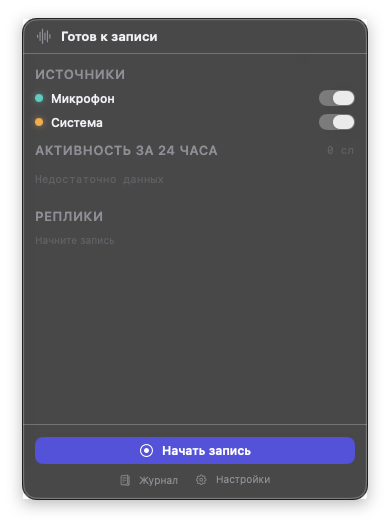
The menu-bar popover carries the whole daily loop. Behind it sits a single window with the journal, the models and the settings.
Two source toggles, the 24-hour activity chart, the live feed, and one big button. Nothing else to learn.
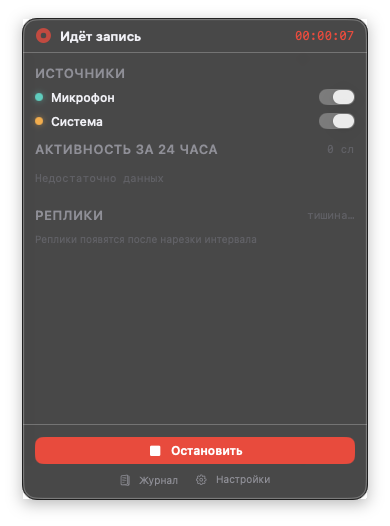
Recognised lines appear in the feed as intervals close; the chart shows when there was actually speech.
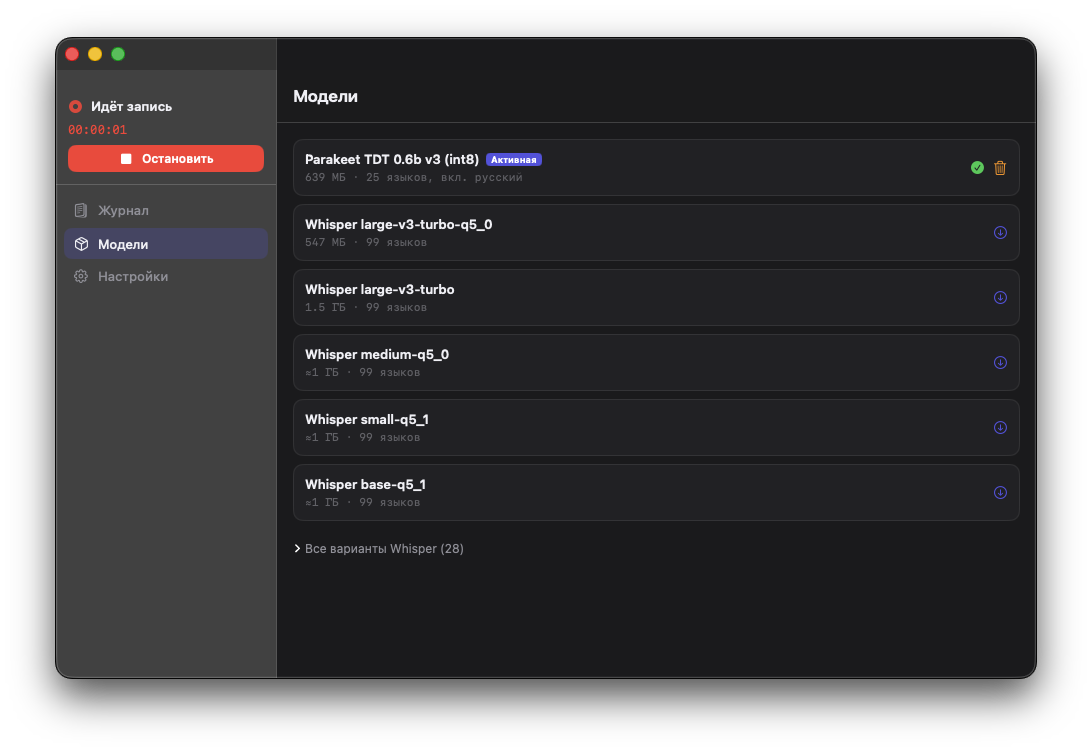
No weights ship with the app. Pick a model, watch the progress bar, switch whenever you like — sizes and language counts are right there in the list.
The screenshots show the Russian interface; Chronica ships in English too and follows your system language.
For developers
The same SQLite file is reachable two ways: over a loopback HTTP API while the app runs, and through a small binary when it does not.
Disabled by default. Once enabled it listens on 127.0.0.1:8765 and refuses to start on a non-loopback address without a Bearer token. Endpoints cover engine state, intervals, a stitched transcript, full-text search, voice-activity buckets and journal export; GET /api/v1/openapi.json serves the machine-readable spec.
curl -s -H "Authorization: Bearer $TOKEN" \
"http://127.0.0.1:8765/api/v1/transcript?from=2026-09-03&to=2026-09-04"Reads the same database and does not need the app to be running — handy for scripts and for piping a whole day into a language model. Commands: today, transcript, search, stats, sessions, export, db.
chronica today
chronica search "release" --from 2026-09-01 --limit 5
chronica export --from 2026-09-01 --to 2026-09-03 -o journal.jsonInstall
There is no Homebrew cask yet and no in-app updater: new versions come from the Releases page.
Grab Chronica-<version>.dmg from the Releases page. A .sha256 checksum sits next to it if you want to verify the download.
0.1.0 is signed ad-hoc, so Gatekeeper blocks it. Run this once, then open the app normally. Without a terminal: try to open it once, then click Open Anyway in System Settings → Privacy & Security.
xattr -dr com.apple.quarantine /Applications/Chronica.appChronica appears in the menu bar — there is no Dock icon. On the first run the popover offers exactly one thing to do: download Parakeet TDT 0.6b v3 (int8), about 640 MB. Silero VAD comes along automatically.
macOS will ask for Microphone access, and for Screen & System Audio Recording for the system track. Decline the microphone and the popover offers a shortcut to the right settings pane instead of failing silently.
This first release is signed ad-hoc rather than with a Developer ID certificate, and it is not notarized by Apple. Signed, notarized releases will follow once a certificate is in place. Until then macOS will say either “Chronica.app is damaged and can't be opened” or “Apple cannot check it for malicious software”, and right-click → Open no longer works around this on macOS 15+. Step 2 above is the fix; building from source is always an option.